From post to chat
A user discovers a post, replies publicly and then continues privately when the topic needs more detail.
The Zent-ic chat feature helps users continue conversations after public posts, comments, profiles and communities. It connects discovery with direct communication in one social network experience.
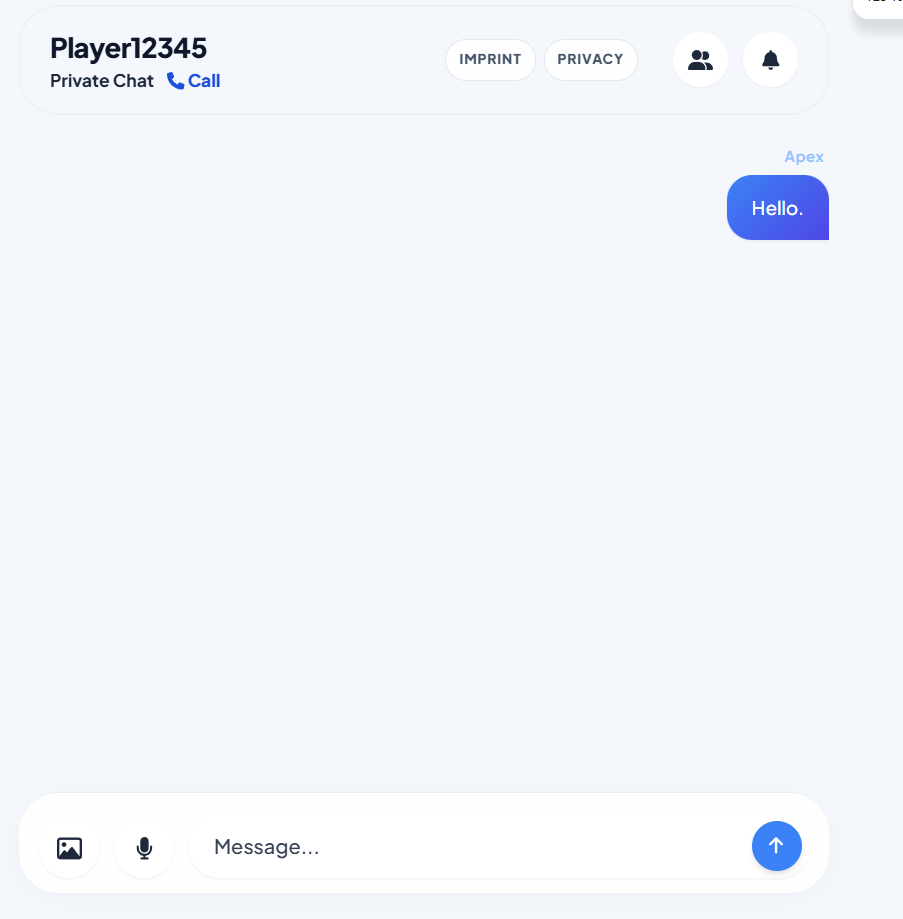
Chat is the private communication layer of Zent-ic. A public social network is useful when people can discover ideas, profiles and communities, but real relationships often need a direct place to continue the conversation. That is where the Zent-ic chat feature becomes important.
A user may see a public post, reply to it, open the profile behind it and then continue with a direct message. A community member may ask a question in a group and then move into a private conversation when details matter. A creator may publish an update and answer important follow-up questions through chat.
This page explains the chat feature as part of a complete social experience. It avoids keyword stuffing and focuses on real user value: direct messages, private follow-up, creator communication, community support and social connection.
Public posts create visibility. Comments create discussion. Communities create structure. Chat creates direct connection. These parts should not feel separated from each other. They should work together as one flow.
On Zent-ic, the chat feature should be understood as the natural next step after discovery. Someone can discover a public post, understand the profile, join the conversation and then continue privately when the discussion needs more detail.
This matters because users do not always want every conversation to remain public. Some questions are personal, some topics need context and some connections become stronger when people can talk directly.
Creators often need more than likes or public replies. They need a way to answer questions, support followers, build trust and continue conversations with people who are genuinely interested.
Zent-ic chat can help creators move from broad public updates to personal communication. A creator can publish a post, receive comments, identify important questions and then continue in direct messages when needed.
This gives the creator a more complete relationship with the audience. Public content brings people in, but chat can make the connection feel personal and useful.
Communities are built around shared topics, but not every detail belongs in a public group. Members may need to ask private questions, discuss collaboration, share sensitive context or continue a conversation one-to-one.
The chat feature supports that natural movement. A community can remain organized while members still have a way to communicate directly. This is useful for learning groups, local communities, creator audiences, project teams and interest-based spaces.
A good community platform does not force everything into one channel. It gives people the right place for each type of conversation.
Students and learning communities often need direct support. A public post can explain a topic, but one learner may still have a specific question. Chat gives that learner a way to ask privately or continue with someone who can help.
Language learners can also benefit from chat when they want to practice directly. Public communities can create the first connection, while private messages can support more focused conversation.
This makes chat useful for exam preparation, school groups, university groups, tutoring, study communities and informal learning spaces.
A small business or local project needs clear communication. A public post can announce an update, but customers may still need a direct answer. Chat creates a simple path from public interest to private clarification.
This can be useful for local shops, service providers, travel pages, coaches, creators and small online projects. A user can see an update, open the profile and send a message without leaving the platform.
For small brands, this is important because trust often depends on quick and clear communication.
A chat feature must be presented with trust. Users need to feel that private communication is not mixed with public posting in a confusing way. The page therefore explains chat as a direct communication tool while keeping privacy and legal links visible.
The design includes an Imprint link that points to https://zent-ic.com/legal and a footer link to the Privacy page. These trust signals matter because users should know where to find important legal and privacy information.
The page also avoids exaggerated claims. It explains the chat feature professionally without pretending that every technical detail is guaranteed beyond the actual platform implementation.
This page includes important search terms naturally: Zent-ic chat, direct messages, private messaging, social chat, community chat, chat feature, creator communication and social network messaging. These terms appear inside useful explanations instead of hidden lists.
There is no meta keywords tag, no invisible heading, no keyword glossary and no fake ranking promise. The page is built with visible content, a clear H1, structured sections, real internal links and FAQ schema.
That makes the page more professional for users and cleaner for search engines.
Each journey shows how chat supports the full Zent-ic social experience.
A user discovers a post, replies publicly and then continues privately when the topic needs more detail.
A visitor opens a profile, understands the person or project and sends a direct message.
Members meet in a community discussion and continue one-to-one when a focused conversation is better.
A creator publishes an update and answers important follower questions directly.
This table keeps the page clear and useful without keyword stuffing.
| Chat use case | How it works | Clickable next step |
|---|---|---|
| Direct messages | Private follow-up after public discovery. | Open Zent-ic |
| Community chat | Members can continue one-to-one after group discussions. | View all features |
| Creator communication | Creators can answer important questions directly. | Social network page |
| Trust links | Legal and privacy pages stay easy to find. | Imprint |
These answers are visible on the page and included in structured FAQ data. They are written for users, not for spam.
The Zent-ic chat feature is the private communication layer that helps users continue conversations after public posts, comments, profiles or community discussions.
This page uses only one feature image: chat.png.
Yes. Chat is explained as part of a connected social flow where public posts create discovery, communities create structure and direct messages continue personal conversations.
Zent-ic chat can be useful for friends, creators, community members, students, local groups, small brands and people who want direct communication inside a social network.
No. The page uses natural explanations, visible text, structured headings and FAQ data instead of hidden keywords or spam blocks.
The canonical URL is https://zent-ic.com/feature-chat.
The Imprint link points to https://zent-ic.com/legal.
Yes. The navigation, feature anchors, buttons, table links and footer links are clickable.
Zent-ic chat is strongest when it connects naturally with posts, profiles and communities. Open Zent-ic and continue conversations directly.
Open Zent-ic